Your Smart Home Isn’t as Smart as You Think
Smart TVs. Streaming boxes. Smart speakers. Cameras. Doorbells. Lightbulbs.
The so-called modern home - where dozens of devices connect quietly to your Wi-Fi network every single day.
These gadgets promise convenience and entertainment. But here’s the uncomfortable question: How secure are they once they’re inside your private home network?
What Is an IoT Device?
"IoT" stands for Internet of Things, this is a fancy term for everyday devices that connect to the internet.
This includes streaming boxes like Sky, Roku, Amazon Fire TV, Apple TV, Robot Hoovers and smart televisions running platforms such as Android TV. It also includes smart plugs, thermostats, security cameras, baby monitors, and even refrigerators.
They’re designed to be easy to use. You plug them in, connect to Wi-Fi, and you’re ready to go. But ease of use often comes at the huge expense of security.
The Hidden Problem: They Sit Inside Your Network
When you connect a streaming box or smart device to your home Wi-Fi, you’re not just giving it internet access. You’re giving it access to your entire internal network.
Your laptops. Your phones. Your family photos. Your work computer. Your network printer. Your backup drives. Everything on that network.
Most people assume these devices only talk to the internet, when in fact many of them actively scan your home network to discover other devices.
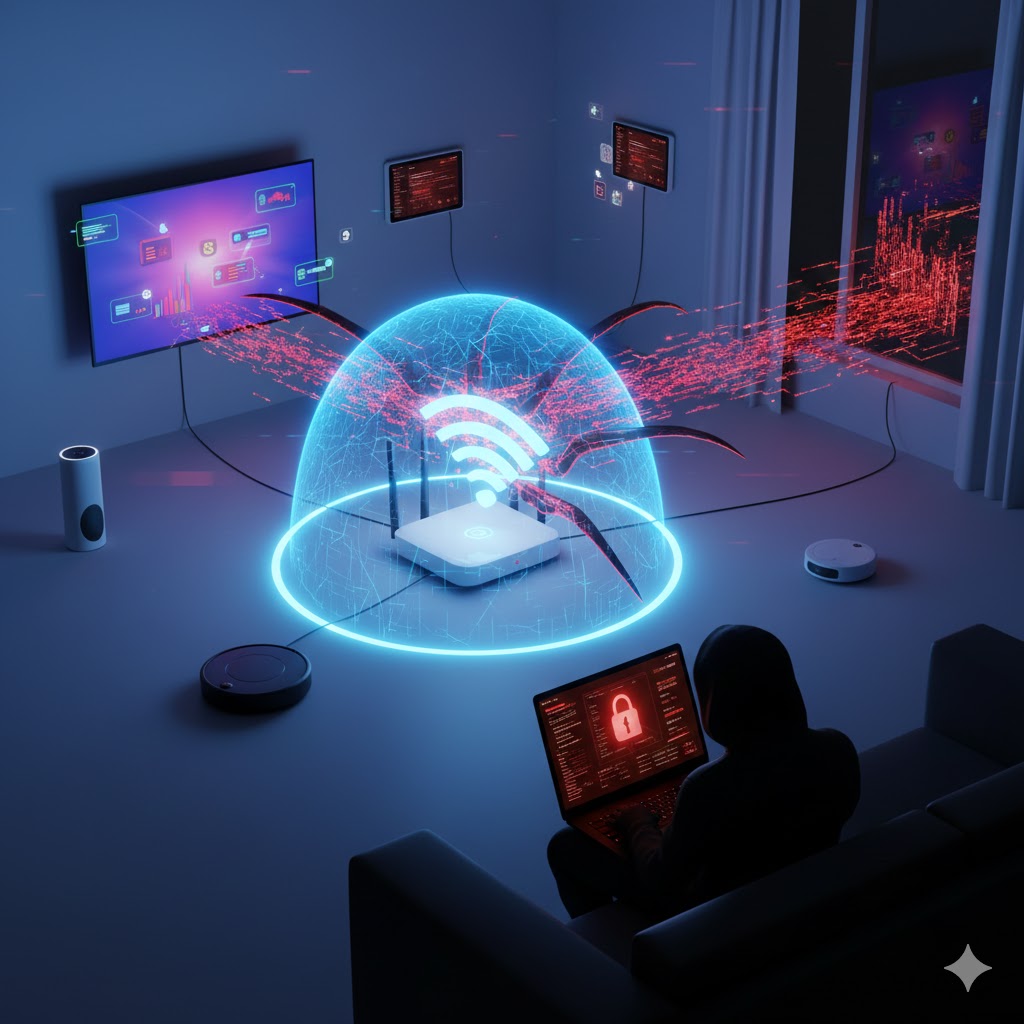
How Streaming Boxes Scan Your Network
Streaming devices like Sky Stream and Apple TV are designed to "discover" other devices so they can offer features like casting, screen mirroring, and media sharing.
To do this, they:
- Scan for other devices using broadcast messages
- Look for open ports on nearby devices
- Identify media servers, shared folders, and compatible apps
- Look at stored media to see if it can be indexed and shown
In simple terms, they knock on every digital door in your home to see who answers.
While that behavior is normal for convenience features - if that device becomes compromised or comes with malicious firmware, the same scanning ability can be used for something far more dangerous such as stealing your personal documents, videos and photos, or worse!
How IoT Devices Get Compromised
Unlike your laptop or phone, many IoT devices:
- Rarely receive security updates
- Run outdated software
- Have hardcoded passwords
- Are never monitored by the homeowner
- Don't run firewalls
Attackers constantly scan the internet looking for vulnerable smart devices. If they find one - especially one with outdated firmware - they can exploit it and silently take control.
In 2016, the Mirai malware infected more than 600,000 vulnerable and insecure IoT devices, turning them into a massive botnet used to launch global cyberattacks. Many of those devices were cameras and home electronics.
The Real Risk: Lateral Movement
Here’s the scary part.
If a hacker compromises your streaming box or smart TV, they now have a foothold inside your home network.
From there, they can:
- Scan for shared folders on your laptop
- Attempt password attacks on other devices
- Probe your work computer
- Look for unpatched vulnerabilities on your NAS or backup drive
This is called lateral movement - moving from one infected device to others within the same network.
Think of it like someone breaking into your garage and then discovering there’s an unlocked door into your house. The move laterally into your house and roam around there.
Scary Real-World Examples
- A family installs a cheap off-brand Android streaming box. It comes preloaded with modified software. Unknown to them, it also includes hidden malware that scans their network and sends data overseas.
- A smart TV with outdated firmware is exploited through a known vulnerability. Attackers use it to capture network traffic and attempt password brute-force attacks on a home office computer.
- A compromised smart camera gives attackers a way into a small business owner’s home network, where their company laptop is connected via VPN. That laptop becomes the real target.
In many of these cases, the homeowner never realises the entry point was the "harmless" entertainment device in the living room.
Closer To Home: Devices You May Own
Tapo (by TP-Link) has had several specific security advisories and vulnerabilities reported in late 2025 and early 2026. Because Tapo is one of the most popular brands in the UK, it is a frequent target for security researchers.
Here is a list of Tapo devices with recently documented vulnerabilities:
- Tapo C200 (V3) Cameras: Researchers recently disclosed multiple "High" severity flaws (CVE-2025-8065 and CVE-2025-14300). Attackers on the same network could trigger a "Buffer Overflow" to crash the device or access an unauthenticated API to modify its Wi-Fi settings, effectively kicking it off your network.
- Tapo P100 & H100 (Smart Plugs & Hubs): A 2025 advisory (CVE-2025-15557) flagged an "Improper Certificate Validation" issue. This could allow an attacker to perform a Man-in-the-Middle (MitM) attack to intercept and modify communications between the device and the cloud.
- Tapo L530E Smart Bulbs: A widely reported study in 2025/2026 highlighted that these bulbs could be exploited to leak your Wi-Fi SSID and password if an attacker is within range during the setup/re-sync phase, due to weak cryptographic exchange protocols.
- Tapo App (iOS & Android): A significant flaw (CVE-2025-14553) was found where the app itself could leak password hashes via an unauthenticated API response on the local network. If an attacker gets these hashes, they can use "brute-force" to eventually figure out your main Tapo account password.
- Tapo C220 & C520WS Cameras: Several "Denial of Service" vulnerabilities (CVE-2026-0918/0919) were patched in early 2026. These allowed unauthenticated attackers to send "malformed" requests that would cause the cameras to reboot or become unavailable.
- Tapo P110 (Energy Monitoring Plug): While not a "hack" in the traditional sense, a late 2025 firmware update (v1.4.0) introduced new encryption that broke many unofficial UK home automation setups (like Home Assistant), leading to concerns about local control and device "lock-in."
Why Your Antivirus Won’t Save You
Most people protect their computers and phones. But you cannot install antivirus software on most IoT devices.
They operate quietly in the background. No pop-ups. No alerts. No warning signs.
If compromised, they may continue functioning normally - streaming movies while quietly scanning or transmitting data.
The Solution: Network Isolation
The safest way to handle IoT devices is simple - Keep them on a separate network!
Many modern routers allow you to create:
- A primary network (for laptops, phones, work devices)
- A guest or secondary network (for IoT devices)
By placing your streaming boxes, smart TVs, cameras, and smart appliances on a separate network, you prevent them from directly communicating with your personal devices.
An even better (but more technical) approach is to create a dedicated network for these devices. Isolating them further.
For example:
This network structure has two subnets and four networks. Each subnet has a private and a guest network.
LAN 1 private network has personal devices such as phones, tablets, laptops and computers connected. The SSID for this is also hidden. LAN 1 guest network is for friends and family visiting who want to use the Wifi.
Guests get internet access, but no access to the devices on the private network.
All servers on the private network run Firewalls and Fail2Ban for additional security.
LAN 2 private network has IoT devices such as Amazon Alexa's, smart switches, smart TV's, smart lights and all internet connected smart devices. LAN 2 guest network is purely for work devices such as work laptops, phones and tablets.
This setup ensures work devices, IoT devices and guests have internet access only and none of these devices have any lateral movement to devices (phones, servers laptops etc.) on the private network.
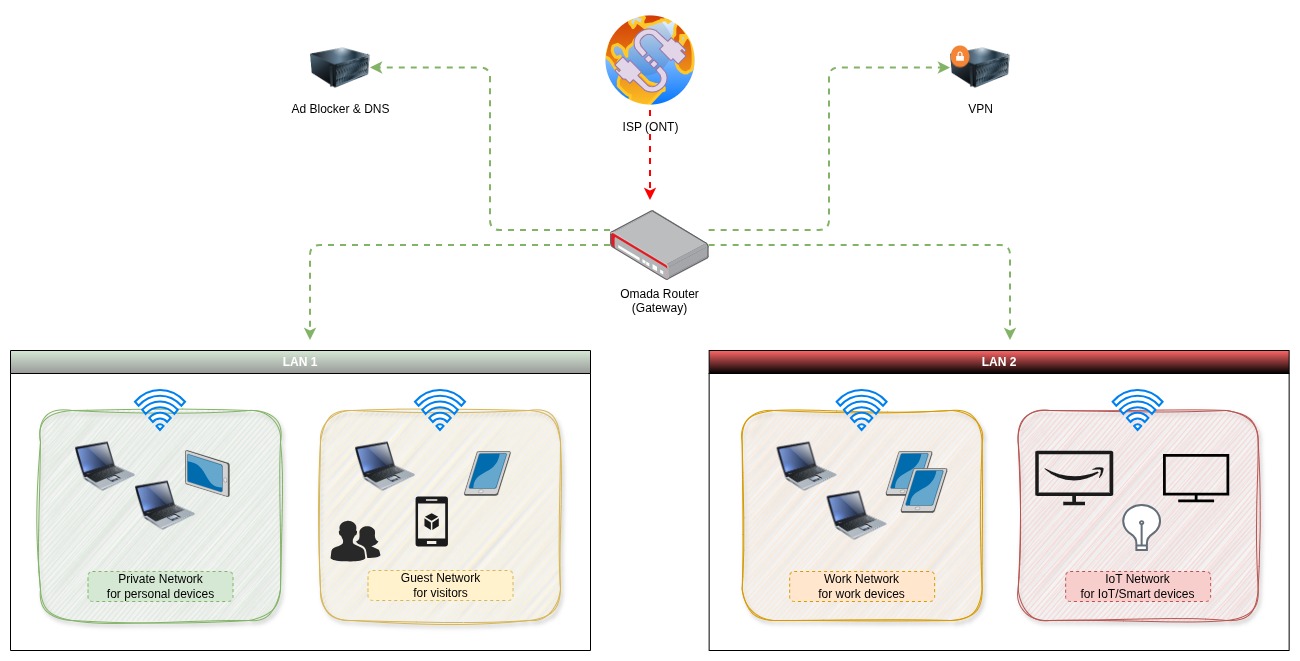
This isolation is there to protect devices and data on the private network so even if one IoT device gets hacked, the attacker hits a wall.
They may control the TV - but they can’t reach personal photos, documents stored on private devices like laptops, servers and phones.
Simple Steps You Can Take Today
- Log into your router and enable a guest network
- Move all IoT devices onto that network
- Disable features like file sharing unless absolutely necessary
- Keep device firmware updated
- Avoid buying unknown off-brand streaming boxes
If you work from home, this step becomes even more important. Your employer’s data may be sitting on a laptop connected to the same network as your smart lightbulbs.
Convenience vs Security
Smart home technology isn’t going away, and it doesn’t need to. But it does need restraining.
Malicious intent is not the only thing to consider, companies are desperate for your personal data and so convenience is always sold to us with these devices. The promise privacy, security and convenience and in return, you trust them implicitly. This is a dangerous relationship to find yourself in.
Every device connected to your Wi-Fi is another door into your digital life. The question isn’t whether your streaming box is convenient but whether you’ve locked the doors behind it.
The Risk Is Real
IoT devices are the biggest security risk on your network. Keep them contained, move them to their own play area, and lock the gate!